









GarageSale 10.2 Released
Tuesday, November 17th, 2026
GarageSale 10.2 is here, and this update is all about putting you in control:
The Inspector in the Listing section is now fully customizable, the Image Editor got a big upgrade as well, the AI Generator handles batches more gracefully, and several workflow tweaks save you clicks along the way.
What’s New in GarageSale 10.2
Customizable Inspector
Your Inspector, your way: Every seller works differently, and in GarageSale 10.2 the Inspector in the Listing section can now work the way you do. You decide which sections you see, in what order, and on which tab.
To get started, choose “View > Customize Inspector”, or control-click anywhere in the Inspector.
Image Editor Improvements
Edit your photos faster and with fewer clicks:
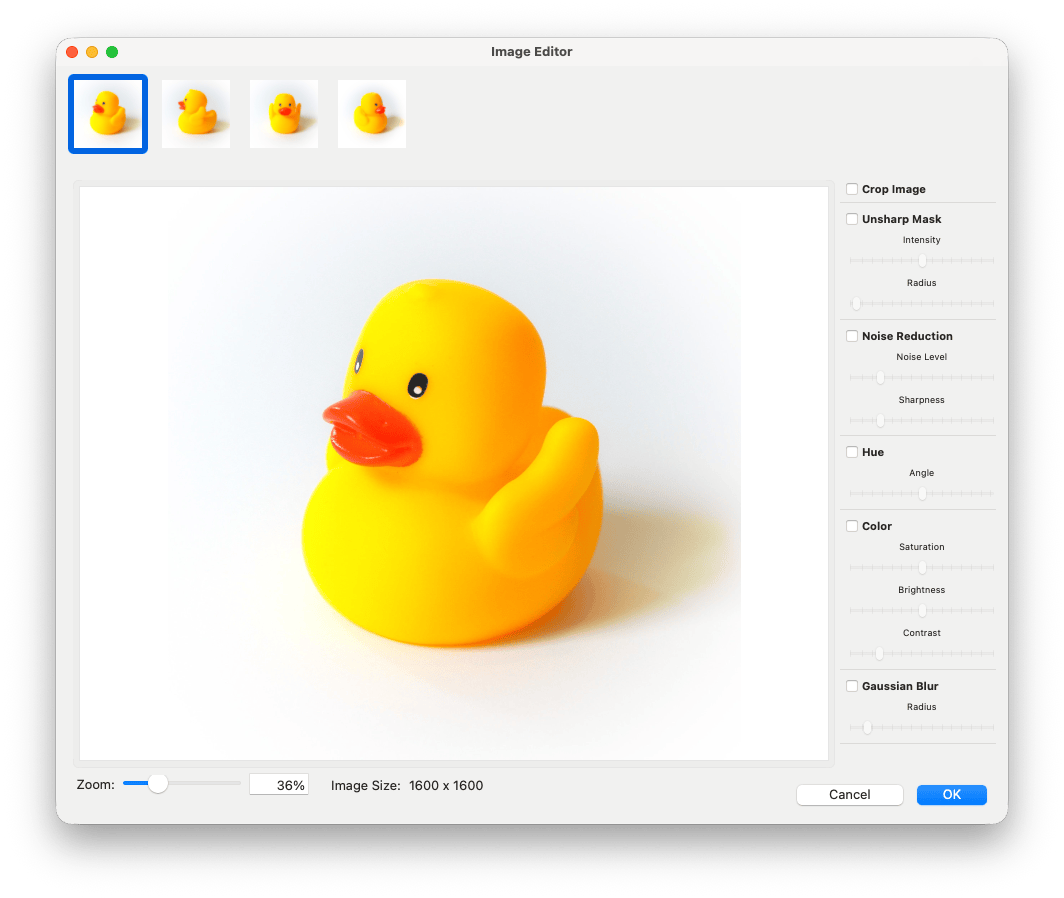
- All listing images in one place: Every image of the current listing is available right in the Image Editor window. You can move from one photo to the next without closing the editor.
- Zoom the way you want: Pinch to zoom on your trackpad, or double-click an image to fit it to the window.
- Drag to move around: When you’re zoomed in, drag the image to scroll to the part you want to work on.
AI Listing Generator Improvements
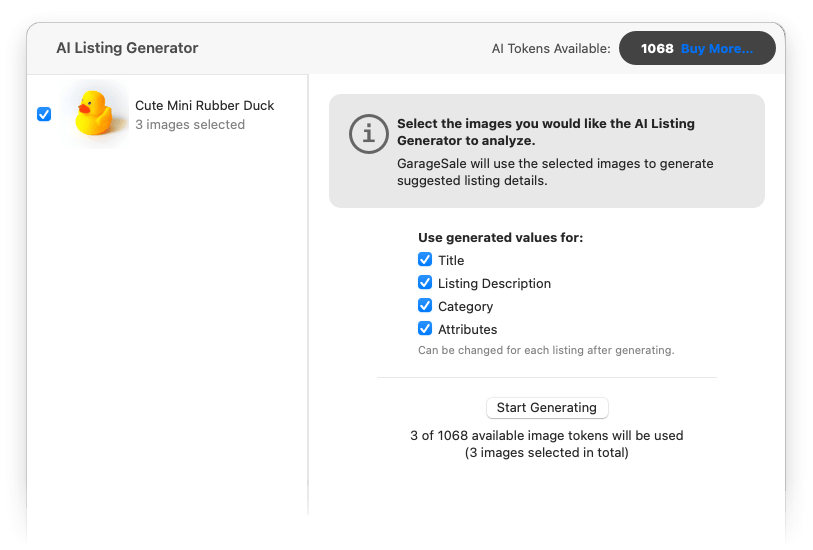
Checkboxes for listing details can now be pre-selected for all listings prior to generation start. Once results have arrived, holding down option key toggles checkboxes for all listings.
More Improvements
- Listing title can be changed from overview mode
- Added a ‘Shipping Profile’ column to the overview table
- Overview collection view: added pinch-to-zoom gesture support
- Attribute names and values longer than 65 characters are now flagged before listings are uploaded
- When the attribute panel is invoked for multiple listings, changing an attribute name will only apply the name change to the selected listings, the value stays unchanged
- Switched to a new API for downloading shipping discount profiles from eBay
- Fixed a bug where category metadata could be lost when updating too many categories at once (this should also fix the ‘No condition’ issue)
- Fixed a bug where the image link to an EPS image embedded in the eBay description did not point to the correct size variant (400px instead of 800px)
- Much more
How to update?
To update simply select “Check for Updates” from the “GarageSale” menu or download directly from the website.
The update to version 10.2 is free if you already own a GS10 license or use GarageSale Pro.
Notes About Synching
If you are using the Mac-to-Mac synching feature of GarageSale Pro, please note that GarageSale 10.2 uses an updated data schema, which older versions of GarageSale cannot handle. Therefore, make sure to update GarageSale on all your Macs.
If you have questions about GarageSale, don’t hesitate to get in touch with us, either through the GarageSale forum or by contacting us directly.
