


GarageSaleGarageBuyUnCoverItgTuner ?


GarageSale
Compose eye-catching auctions with your Mac...
GarageSale 4 is out!
"The most extensive update in GarageSale history!"
Read on to find out why we think so: Click here
Are you sick and tired of creating auctions using eBay's slow web site? Have you been waiting patiently for a quality, affordable listing utility for the Mac OS for years? Here comes your deliverance: Ladies and Gentlemen, we're pleased to announce the arrival of GarageSale. (Your auction experience is about to change for the better...)

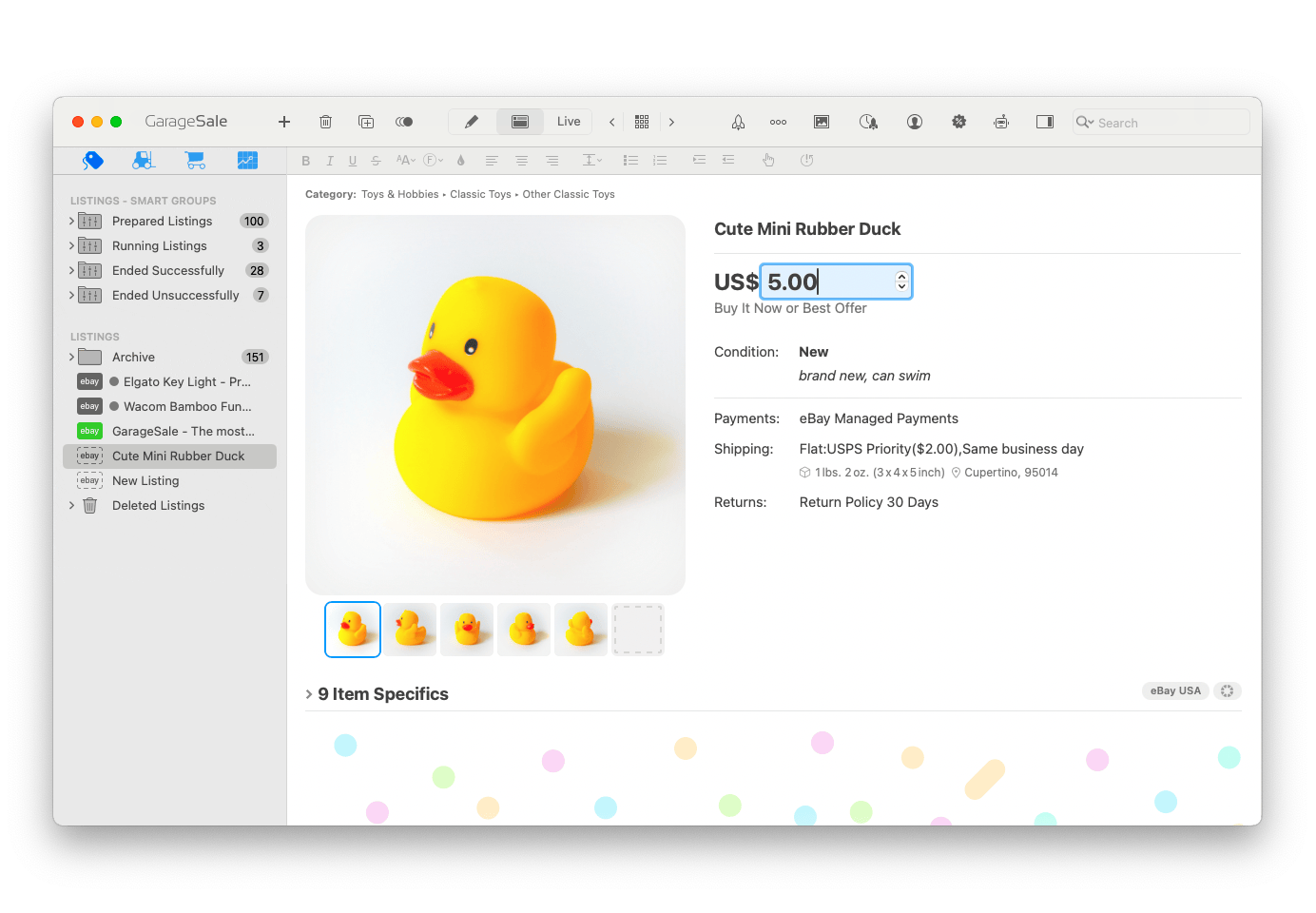
GarageSale is a slick, full-featured client application for the eBay online auction system. With GarageSale Mac OS X users can finally compose eye-catching auctions quickly using an intuitive Mac-like interface. (And in the fraction of the time it would take to do it on eBay's web interface.) Not only this, but GarageSale also integrates perfectly with iPhoto, offers WYSIWYG text editing and comes with over 130 free design templates.

Watch the GarageSale Basics tutorial (updated for GarageSale 4) to learn how GarageSale makes listing your items on eBay a snap:


GarageSale Basics Video Tutorial
Downloads
GarageSale 4.1 Beta 3
Requires Mac OS X 10.4.0 or higher English, German
This is a free update for all GarageSale 4 users. GarageSale 3 users, who purchased GarageSale after September 30, 2007 can request a free license here. All other users can update to this versions for USD/EUR 14.99* (single user license) and USD/EUR 19.99* (famliy license).
(Download older versions)
GarageSale 4.0.6
Requires Mac OS X 10.4.0 or higher English, German, French
GarageSale 4 is a free update for users who purchased GarageSale after September 30, 2007. Free licenses can be requested here. All other users can update from previous versions for USD/EUR 14.99* (single user license) and USD/EUR 19.99* (famliy license).
(Download older versions)
Please see the installation section below for more information how to install. If you use Internet Explorer, please control-click on the link and choose "Download Link to Disk".


Features    (Click here for complete Feature List)
Free Image Serving
Store up to ten auction images free of charge on our servers and say 'Goodbye' to eBay's image hosting fees. (Learn More)
124 Unique Listing Designs
Enhance your listing with one of 124 listing designs. With each of them you can change how images and description are laid out - giving you more than 1000 unique possibilities. Of course you can also create your own design! Preview the included designs here. (Learn More)
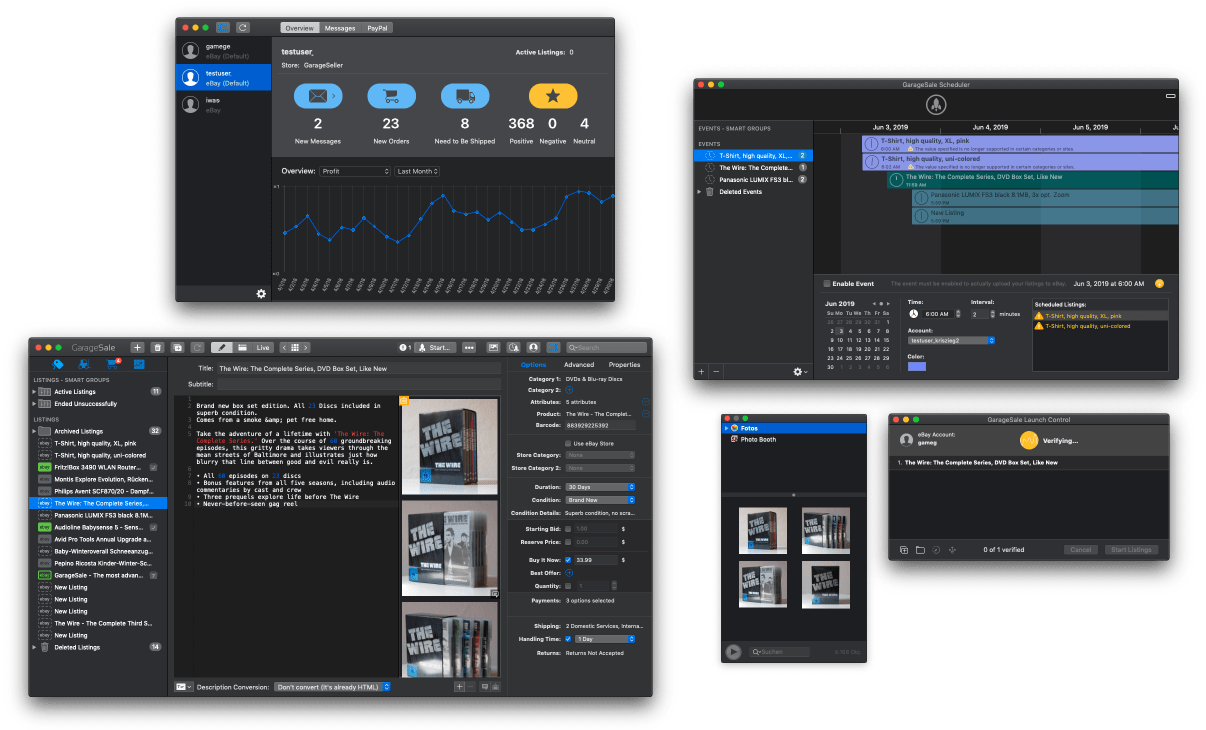
Built-in Scheduler
Start your auctions anytime you want to - WITHOUT paying extra. (Learn More)
iPhoto integration
Access your iPhoto library directly from within GarageSale. No more copying, pasting or exporting each individual picture from iPhoto. It just works!
Powerful Messaging System
Send messages to your buyers using customizable templates with just a few clicks via eBay's message system or Apple Mail. (Learn More)
FTP and .Mac Image Serving
Upload as many images as you like to your web server via FTP or WebDAV or use your .Mac account without paying image hosting fees to eBay. (Learn More)
eBay Store Support
Use GarageSale to upload items to your eBay Store. (Learn More)
Fair Licensing
We don't treat our customers like criminals. No machine ID checking and no phoning home each time you start up GarageSale. (Learn More)


Resources
GarageSale Manual
Browse GarageSale's online manual here. A PDF version of the manual can be downloaded here.
Auctions created with GarageSale
Have a look at this page to see active auctions created by GarageSale users.
GarageSale User Group
Browse the messages at the very active GarageSale user group to see who else uses GarageSale.
Supported eBay Sites
Check the list of international eBay sites supported by GarageSale.
GarageSale at eBay
Take a look what other users think about GarageSale on the eBay Solutions Directory.
Contact and Support
If you have questions, feedback or just want to tell us that you like GarageSale, please use our Feedback Form.


Pricing
Try before you buy: The unlicensed version of GarageSale will upload 3 auctions to eBay.


A single user license for GarageSale is available for US$/EURO 29.99 (*). You can use this license on up to two macs if you are the only one using it.


A family license, that allows the installation of GarageSale on up to 5 computers in your household, is available for US$/EURO 49.99 (*).

Updates to GarageSale 4 are free for users who purchased GarageSale on or after October 1st, 2007. Free licenses can be requested here. All other users can update from previous versions to GarageSale 4 for USD/EUR 14.99* (single user license) and USD/EUR 19.99* (famliy license).

Licenses can be obtained from inside GarageSale using its built-in registration module or at our online webshop (secure connection) provided by Kagi, Inc.
European users without a credit card can buy GarageSale here using bank transfer.
You can also obtain a license with PayPal by purchasing it from our eBay store.
A boxed version of GarageSale is available at your nearest Apple Retail Store or from Apple's Online Store.
* Curreny depends on your location. Additional tax (VAT) may apply depending on buyers location.


Screenshots    (Complete List)
Preview Mode Preview Mode
Design your auction directly in GarageSale's web edit mode.
Overview Mode Overview Mode
See all your auction templates.
Auction Scheduler Auction Scheduler
Scheduler your auctions with the built-in auction scheduler.
Media Browser Media Browser
Import your auction images.


Awards & Reviews   
Our eBay Store Feedback
GarageSale is also sold at eBay, where we received more than 2000 feedback points so far. Please take a look at what some of our customers have say about our application.
Versiontracker Ratings
Versiontracker users give GarageSale a feedback score of 4.1 (out of 5) and downloaded it more than 90,000 times so far.
Best Newcomer Q1/Q2 2005
At eBay's Germany developer day 2005 GarageSale received the award for "Best Newcomer Q1/Q2 2005".
MacWelt Magazine Rating "Very good"
MacWelt Germany compared eBay listing applications in issue 08/2006. GarageSale won with the rating "Very good".
Mac Life rated GarageSale best eBay app twice
German magazine MacLife reviewed Bay apps in issues 06/2005 and 04/2006. Both times GarageSale won scoring 4.5 and 5 out of 6 points.


Version History    (Complete History)
4.1 Beta 3 (2008-05-08):

  • added 'Ingore' function for indiviudal warnings and messages from eBay
  • added checkbox for limiting FTP uploads to a single connection
  • added 'Don't Show Again' option for 'Free Shipping' warning panel
  • GarageSale's own XML import format now supports shipping services
  • when using the Endicia client the auction title gets transferred to the shipment's description field
  • adds support for Value Pack listing enhancement on eBay Australia
  • supports 21 day fixed price car listings on eBay Motors US (requires BIN option)
  • 'Now and New' Option is now available on eBay France
  • removed support for German and British eBay Express sites
  • now longer offers money transfer payment option on eBay Germany
  • fixed problems with layout 'Thumbnails Left' in various designs
  • fixed a problem that caused the 'Crop' filter in GarageSale's built-in editor to crop the wrong selection
  • fixed issue where AppleScript's wouldn't terminate correctly when used to start auctions
  • fixed issue where GarageSale would not switch to new auction after successful auction start


Contact & Support
If you have questions, feedback or just want to tell us that you like GarageSale, please use our Feedback Form.

Join the GarageSale mailing list to get update notices, ask questions and get in touch with other users.


Installation
  1. Download:

    Click the disk image icon at the download part of this page to download the latest version. If you use Internet Explorer, please control-click on the link and choose Download Link to Disk.

  2. Mount:

    Wait until the download is complete. If your web browser and system are properly configured, Disk Copy will launch to open and mount the downloaded disk image. If this does not happen, locate in Finder the .dmg file that you downloaded and double-click it to open the file using Disk Copy.

  3. Install:

    When the disk image mounts, a new Finder window will open that contains the icon for your new application. Simply drag this icon to your Applications folder (or wherever you would like to keep it) to install. This copies the application from the virtual disk image onto your hard disk so the application is there for you to use whenever you like.

  4. Eject:

    Once the application is installed you can safely 'eject' the virtual disk that it came on and also dispose of the .dmg file that you downloaded if you choose. Double-click the application icon in the location you installed it in order to begin using the application.

    You may wish to drag the icon to the Dock for easy access.