




GarageBuy
Search, track and buy eBay items


 Download Now
Version 4.0.2What's New

New in Version 4.0.2(2022-05-03):
GarageBuy is only available in the App Store, please use the link below to install the current version from the App Store.
for macOS 11.0/Big Sur or later
For Mac, iPad & iPhone
GarageBuy is a free app primarily targeted at collectors and power-buyers on eBay. It helps you to find, track, and purchase items on eBay.You create powerful eBay searches and GarageBuy lets you know when new items appear in your saved searches and marks viewed items as read.
Your searches and favorite items are synched between GarageBuy for Mac and GarageBuy Touch for iOS.
GarageBuy 4 supports eBay's new API for searching (replaces the old, deprecated API) and it introduces a new subscription service called GarageBuy Premium for purchasing and bidding on listings as eBay stopped paying affiliate fees for successful bids. You can still use GarageBuy for free but for bidding and buying you then have to visit the eBay website.

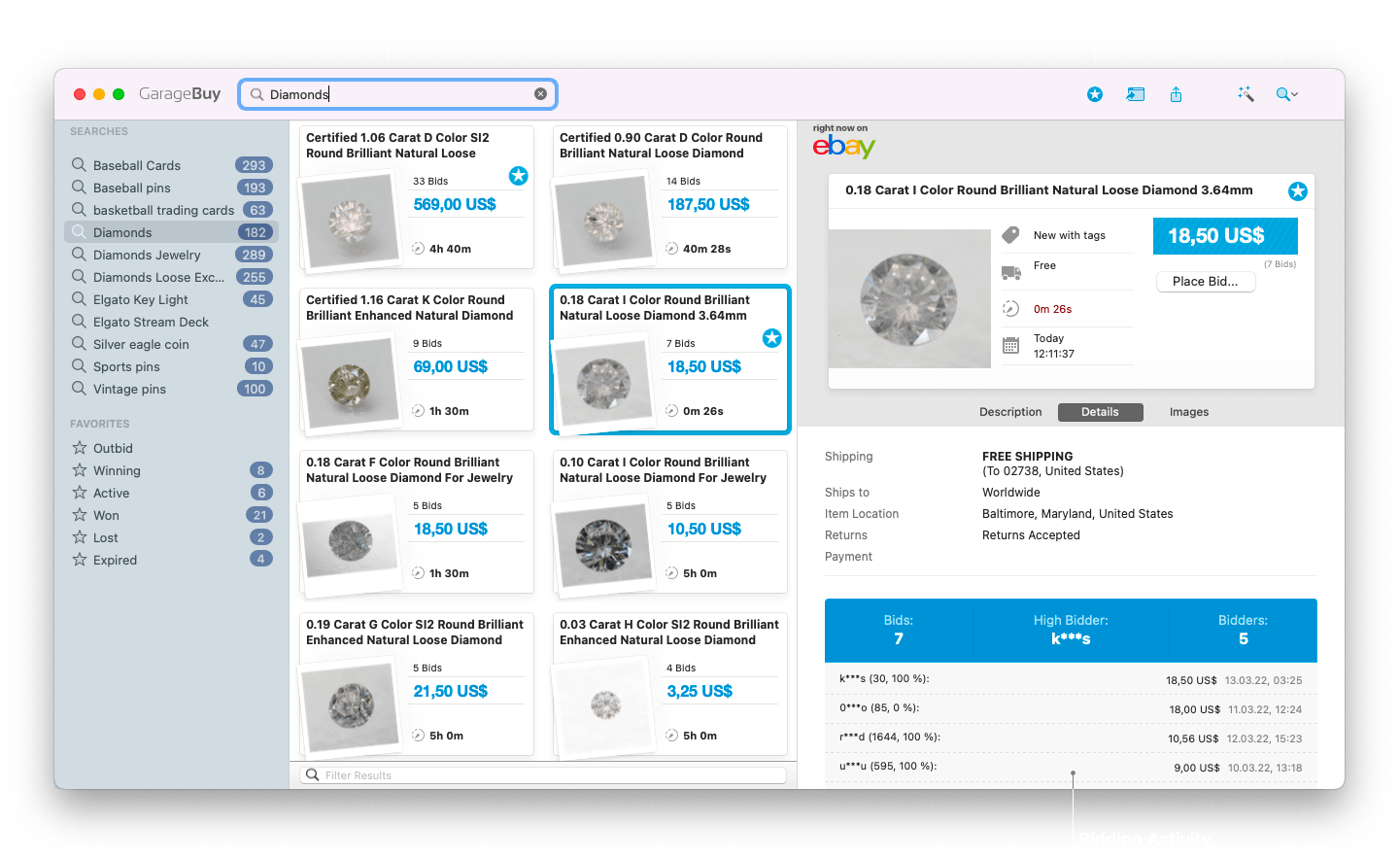
Search eBay efficiently
Setup sophisticated searches and find your favorite items in every nook and cranny of the eBay system. Easily fine-tune your searches to get the best results. For each search, GarageBuy will show the number of the auctions you haven't viewed yet.GarageBuy remembers which items you already looked at. The smart auto-read feature marks listings as read while you scroll and in addition it can hide listings you already looked at from search result. The perfect eBay browsing experience!
If you use GarageBuy Touch for iOS your searches can get synchronized between your Mac and iOS devices through iCloud. It will also synchronize the list of items you already looked at, so you can focus on new items exclusively, no matter if you are on your Mac, iPad or iPhone. That's really smart, isn't it?

All your favorites at a glance
Easily add interesting items to your favorites. Mark any listing as a favorite by simply tapping on the star icon in the toolbar. GarageBuy organizes them for you so you always see how your favorite items are doing.Watched and previously bought items will be imported from eBay. You can also add a favorite by simply entering the eBay item ID (Listing > Add Favorite With ID).

Place a bid or buy it now
Never miss a good deal again! Place bids to the second and buy your favorite items directly from within GarageBuy. This features requires a GarageBuy Premium subscription available via in-app purchase.
Dark Mode

Get notified
Thanks to GarageBuy's push notifications feature you'll get notified when a listing ends or if you've been outbid. You can precisely control this feature in the GarageBuy preferences.
Calendar Events
If enabled in the preferences, GarageBuy creates a new calender event for each new favorite item. You can even set the time alerts will show up before the favorite ends.
System Requirements:
macOS 11.0/Big Sur or laterPricing:
US$ 3.49 (Monthly Subscription)Supported Marketplaces:
eBay (20 countries)
- eBay USA
- eBay Motors (USA)
- eBay Germany
- eBay UK
- eBay Australia
- eBay Italy
- eBay France
- eBay Austria
- eBay Canada
- eBay Switzerland
- eBay Ireland
- eBay Spain
- eBay Netherlands
- eBay Belgium (FR)
- eBay Belgium (NL)
- eBay Singapore
- eBay Philippines
- eBay India
- eBay Hong Kong
- eBay Poland
